For iPhone and iPad

Your provider, beautifully.

Viewy is a player for the TV provider you already have. Sign in, and everything your account carries becomes a library — films and series with plots and cast, live channels with a real guide, and your place kept in all of it.

Download on theApp Store Free to use · Pro from $0.99 a month

Viewy comes with no channels, films or series, and doesn't help you find any. Everything you watch comes from your own provider.

How it works

Bring your own provider.

Viewy has no catalogue of its own. It signs in to the account you already pay for and makes it good to use.

1

Get your details

A server address, a username and a password — your provider sends them when you sign up.

2

Sign in to Viewy

They stay on your device, with the password in the Keychain, and go only to your provider.

3

Watch

Films, series and live channels, organised, with your place saved as you go.

Features

Everything your account carries, made easy to watch.

Library

A library, not a list.

Films and series with artwork, plot and cast, every version your provider carries, and More Like This — only titles you can actually play.
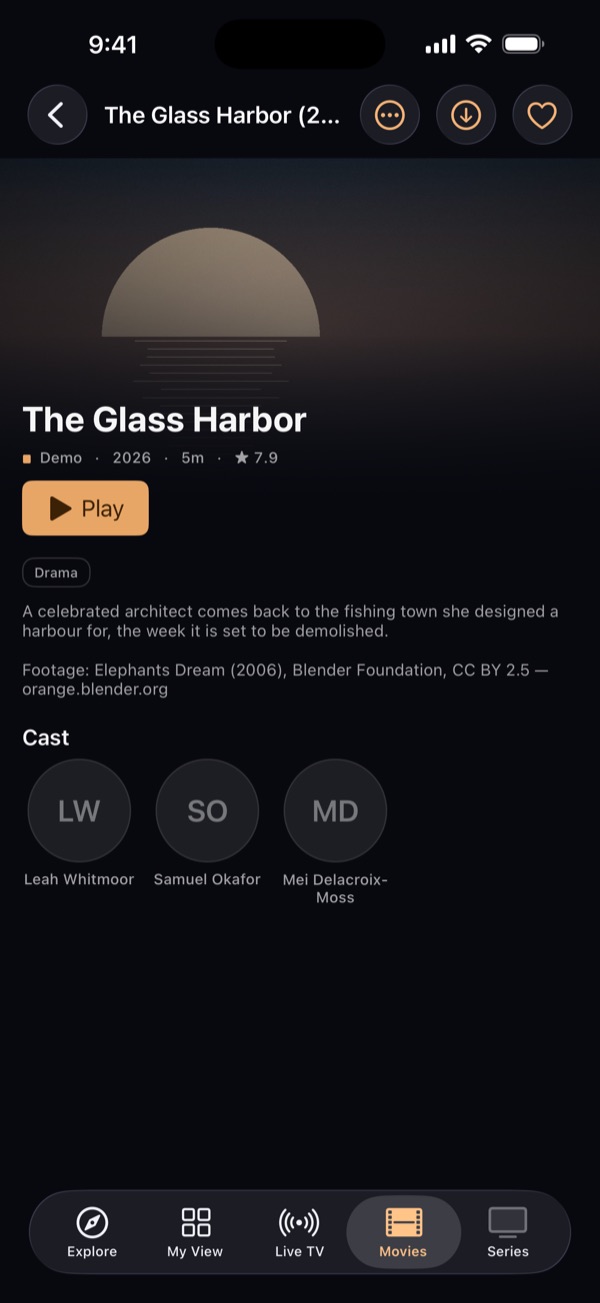
A film page in Viewy
Live TV

A real TV guide.

Now and next at a glance, and reminders before it starts.
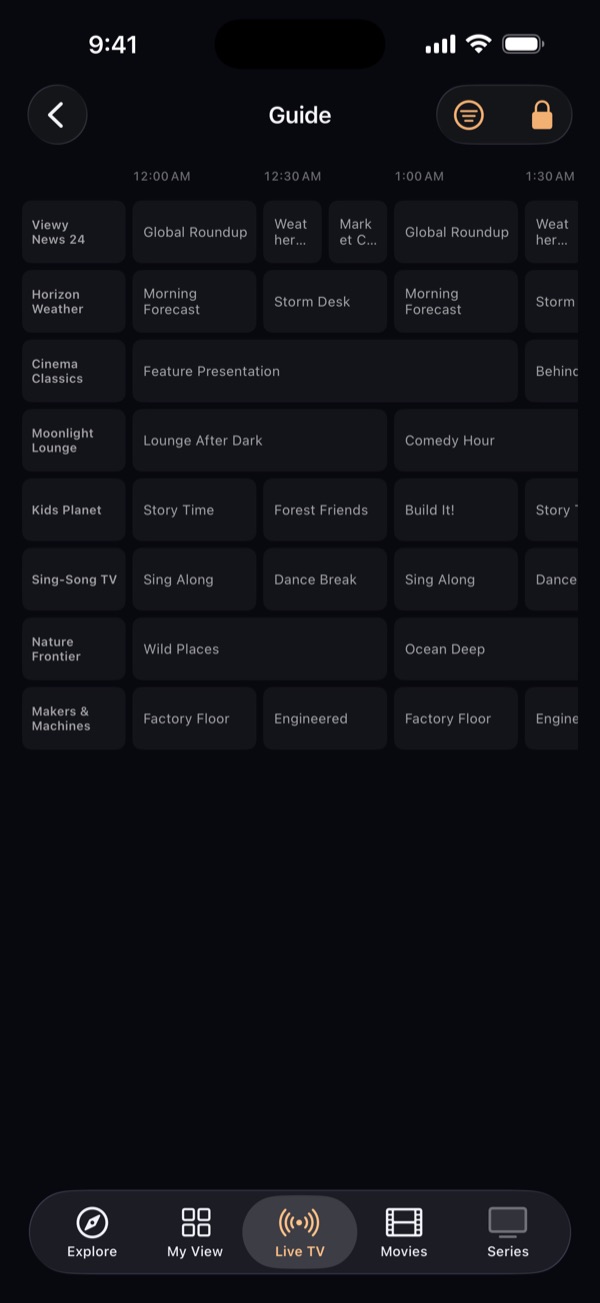
The TV guide in Viewy
Pro

Follow a series.

Told when a new episode reaches your provider.
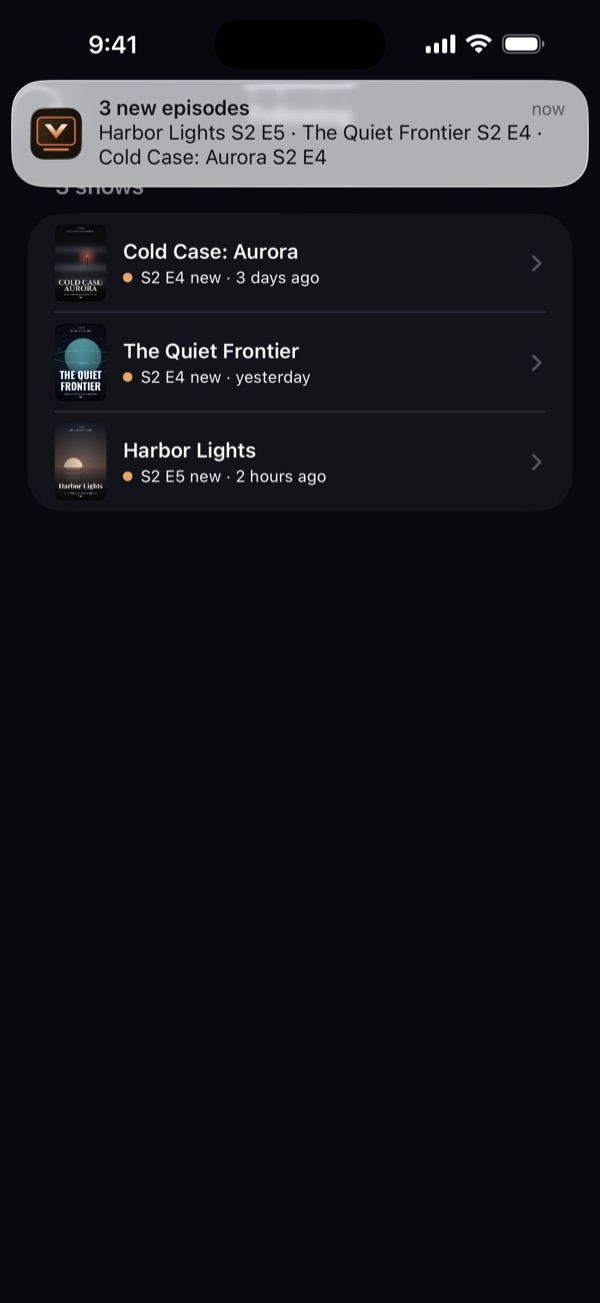
Followed series in Viewy
Subtitles

Out of step? Tap the line you just heard.

Subtitles line up in one tap, and the timing is remembered for next time. Your own files, or your OpenSubtitles account.
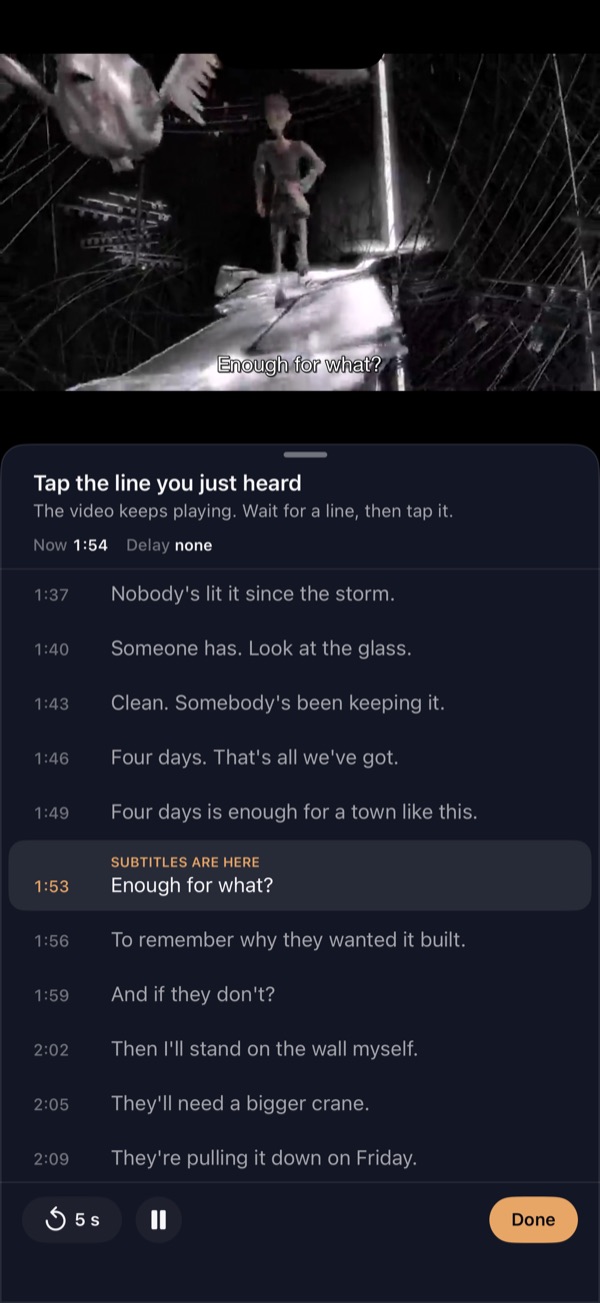
Matching subtitles in Viewy
Downloads

Downloads that pick up where they left off.

Lose the signal halfway through a 6 GB film and Viewy carries on from there, not from the start. Line up several — they keep going when you leave Viewy, with progress on the Lock Screen on iOS 26.
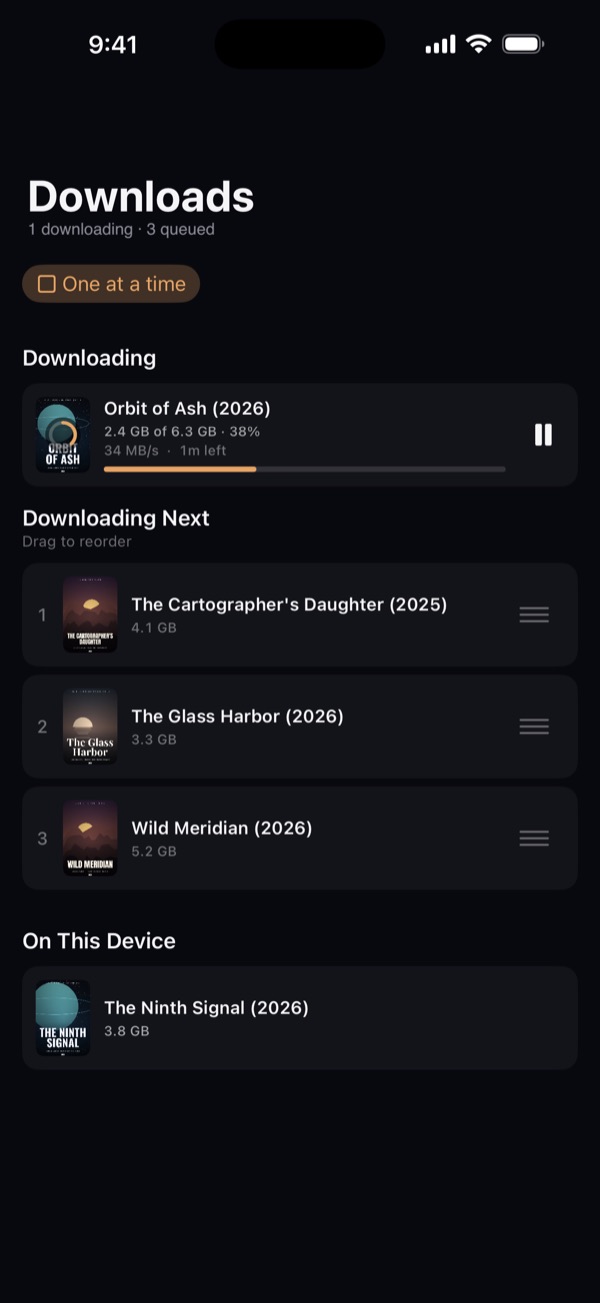
The Downloads screen in Viewy: one film downloading, three waiting
Pro

Up Next, in order.

Line up films and episodes. The next one waits at the top of Explore.
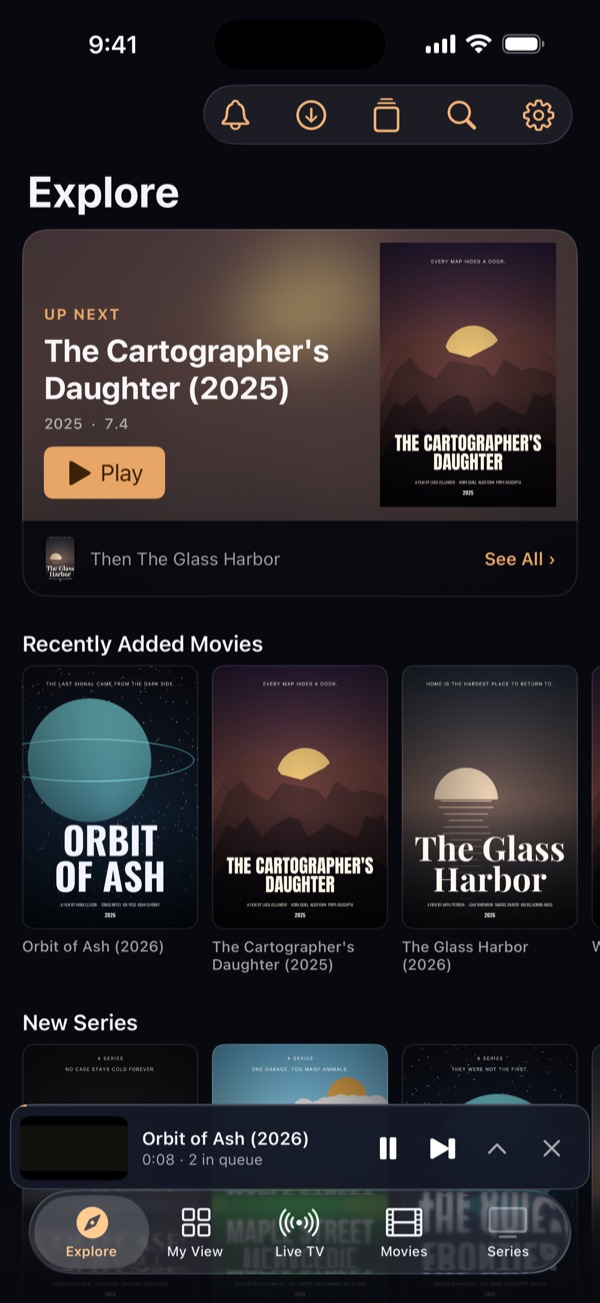
Up Next at the top of Explore in Viewy
My View

Your categories. Nothing else.

Pick what you watch, hide the rest; new arrivals are ringed.
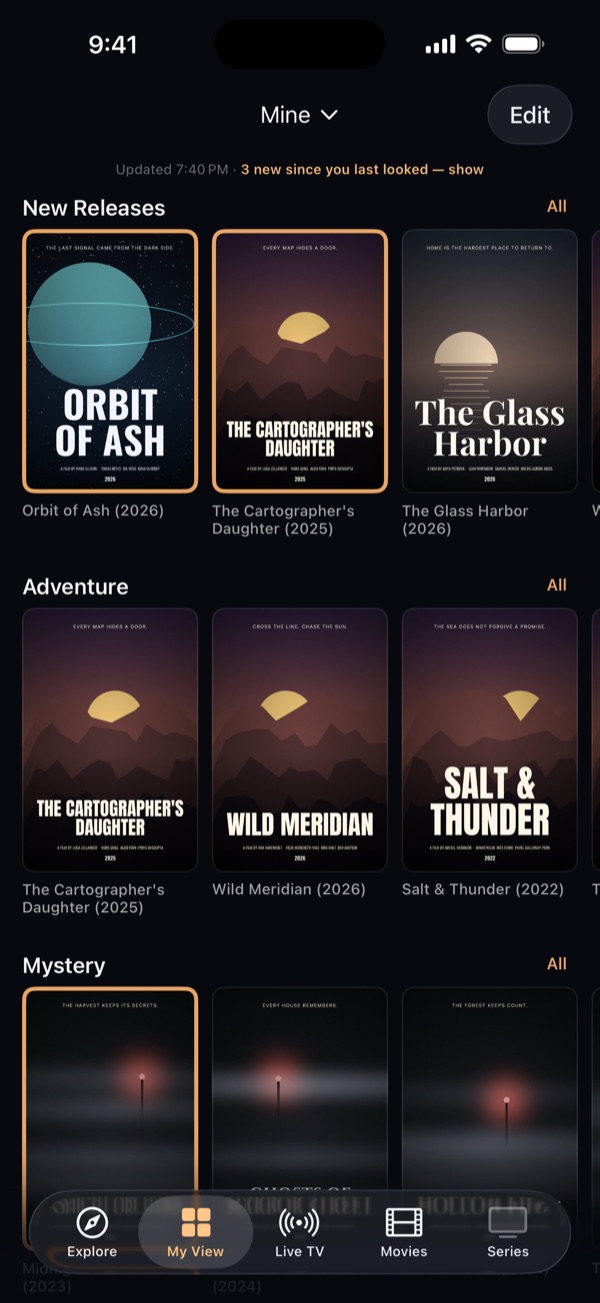
My View in Viewy
Explore

What you're in the mood for.

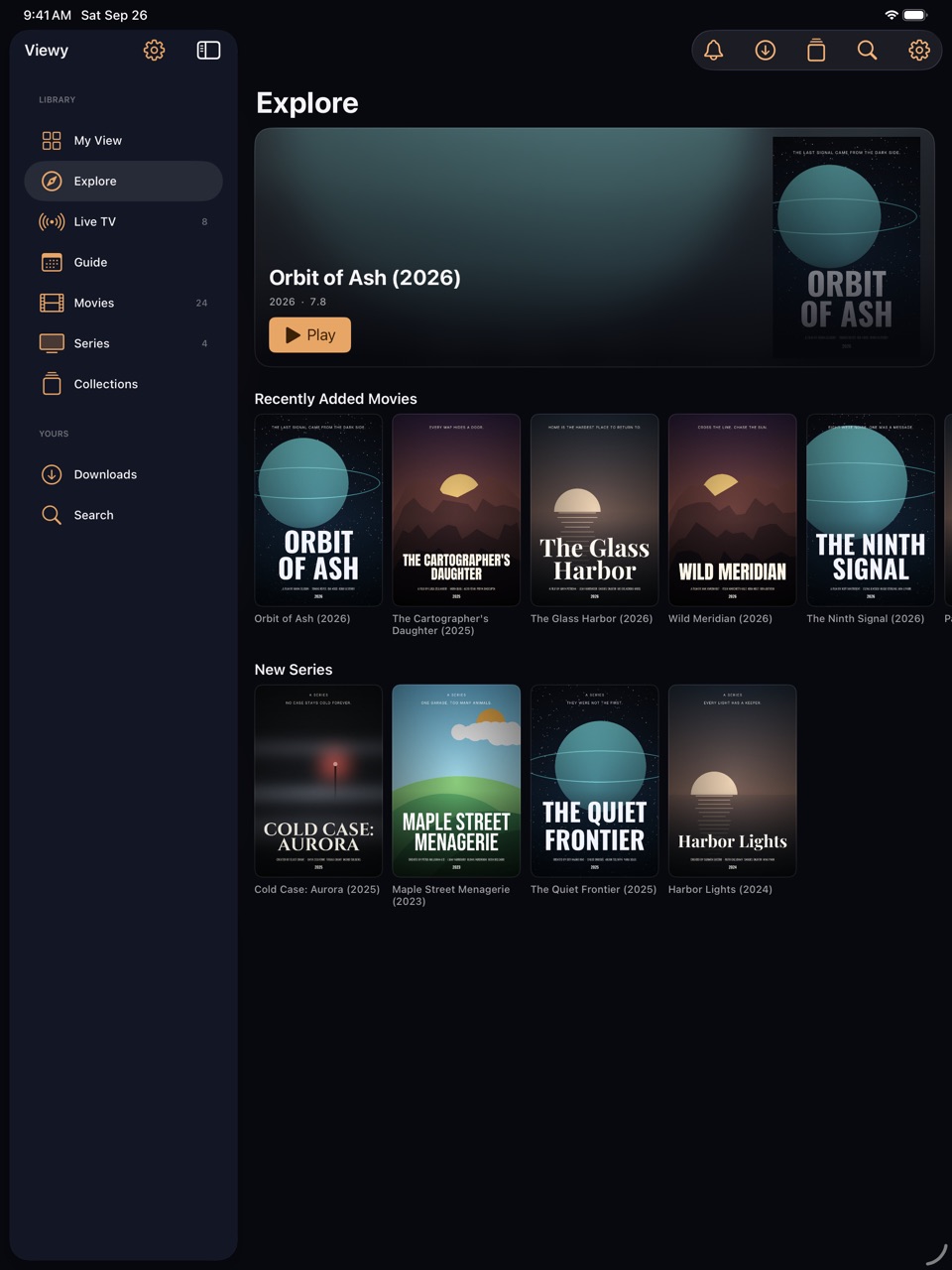
What's new, plus themes filled only from your own catalogue.
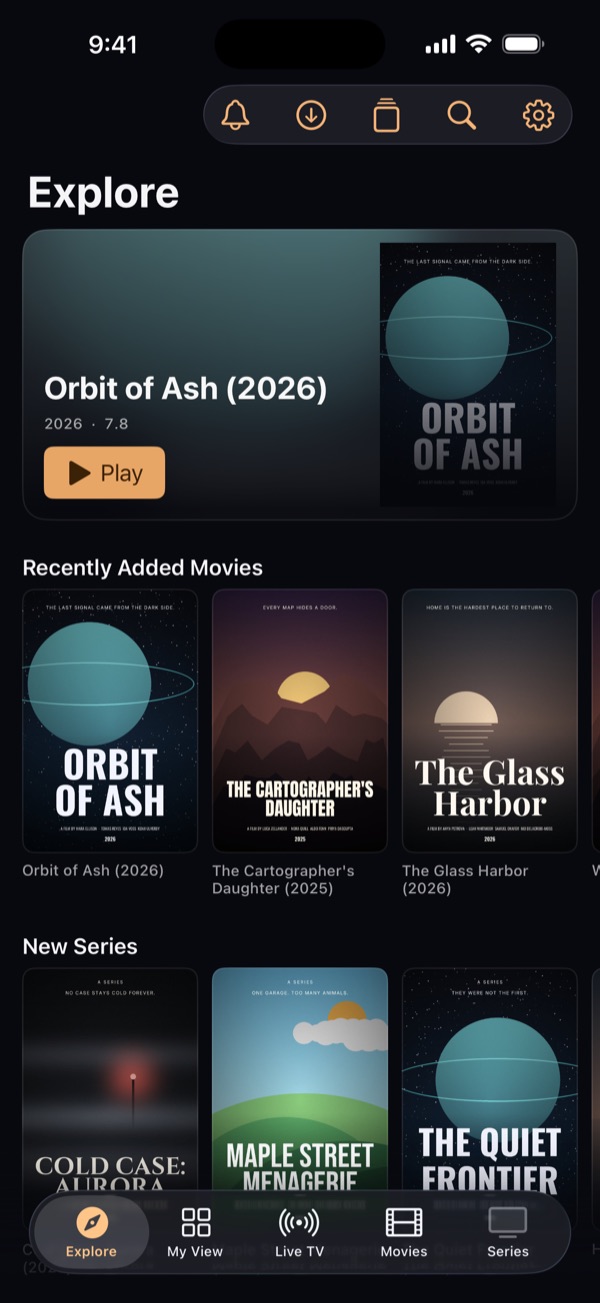
Explore in Viewy
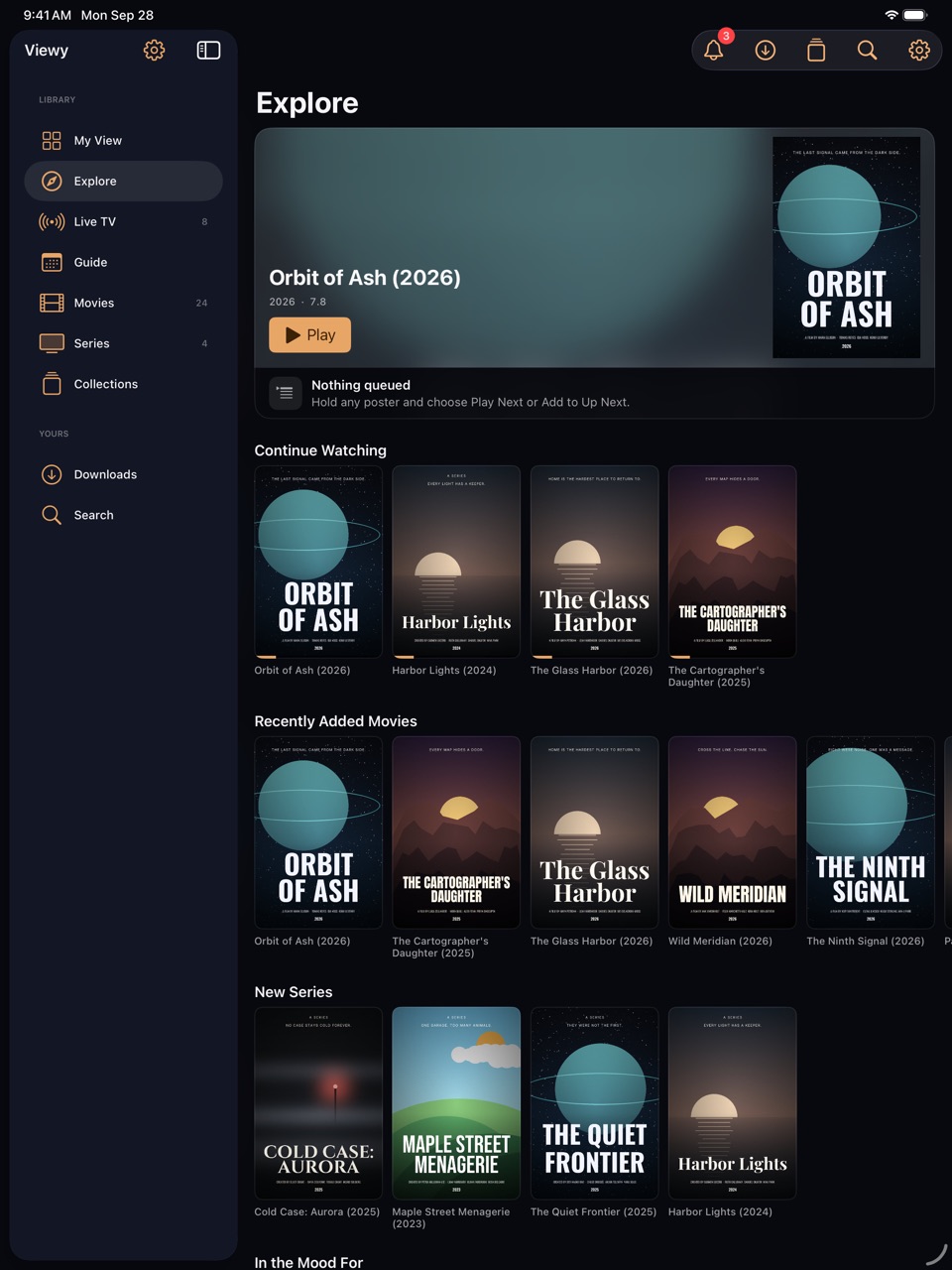
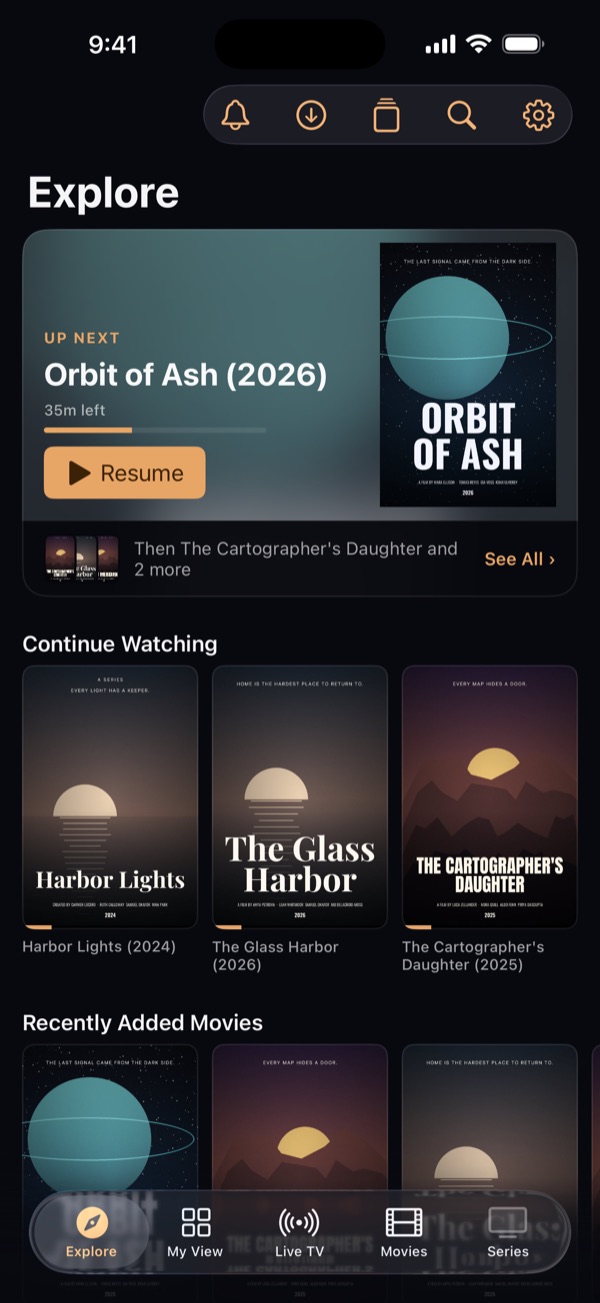
Continue Watching on iPad in Viewy
The same titles to resume on iPhone

iCloud

Start on your iPhone. Finish on your iPad.

What you've watched, where you stopped, your favourites and your collections follow you through your own iCloud — to every iPhone and iPad signed in to it.

  • Continue Watching, on bothStop a film or an episode on one and it's waiting on the other, at the same place.
  • Favourites and collections, mergedChange them on either device. Viewy combines the two, rather than keeping whichever saved last.
  • Your password stays putYour provider's password never goes to iCloud. Sign in once on each device and everything's already there.

Kept in your own iCloud account, per provider, where we can't read it. Settings › Storage shows what's there and can erase it.

Restricted mode

Hand it over. Keep your profile.

Nobody wants someone else's viewing in their Continue Watching. Before you pass your phone across, lock Viewy to one view with a passcode.

  • One view, nothing elseOnly the rails you chose for that view. Search, the guide and every other tab wait behind the passcode.
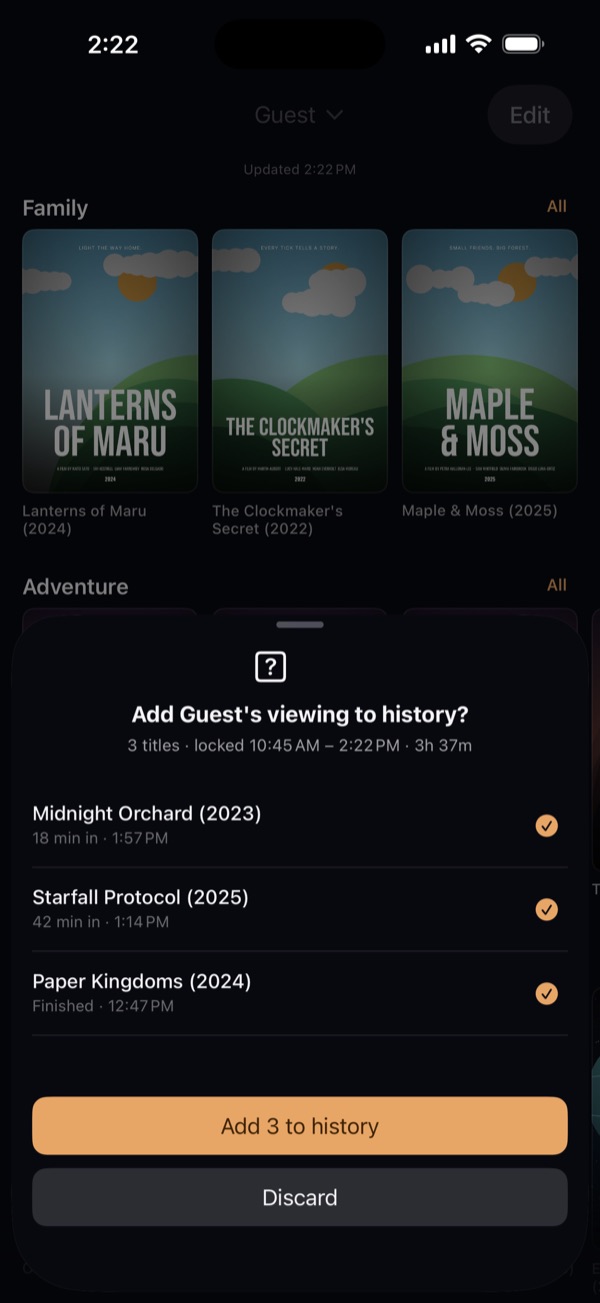
  • Your history stays yoursWhat's watched while it's locked is kept apart. When you unlock, Viewy shows what was played and how long the phone was away — you decide what, if anything, goes into your history.
  • Stays lockedIt can stay locked when Viewy is closed and reopened, and a recovery key sorts out a forgotten passcode.

Restricted mode keeps one view on screen and your history to yourself. It isn't parental control: deleting Viewy removes it.
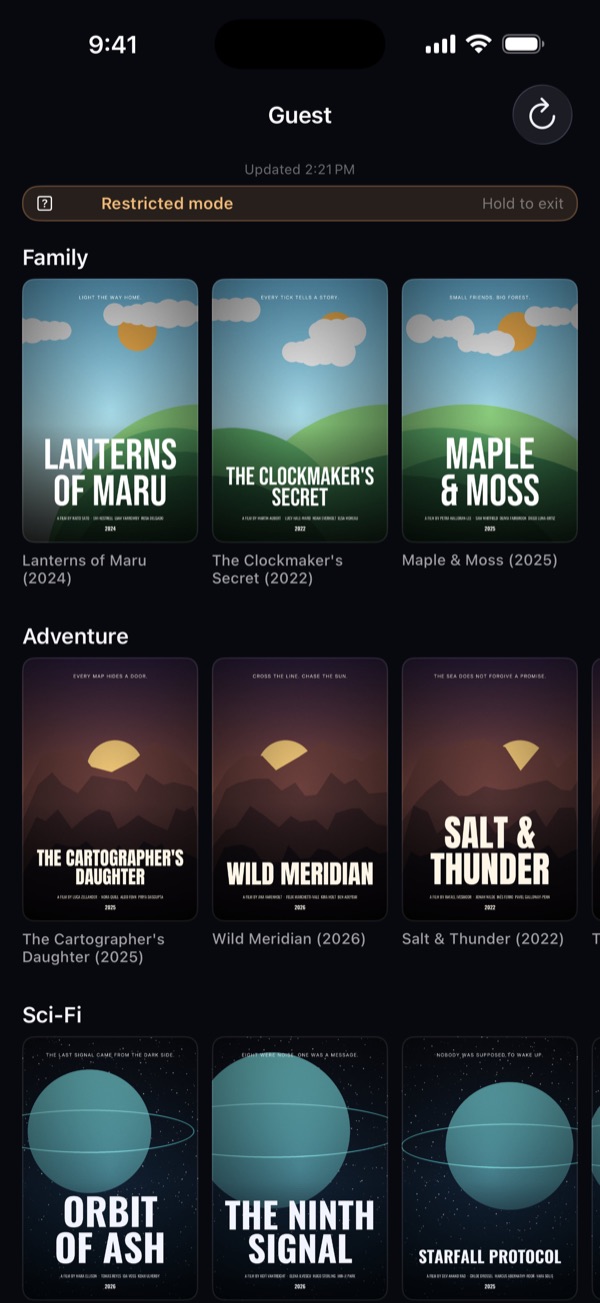
Viewy locked to a Guest view in restricted mode
On unlock, Viewy asks whether to add the Guest view's viewing to history
  • SearchTitles, people and channels in one place.
  • Continue WatchingPick up where you stopped.
  • CollectionsLists you build yourself. With Pro, share them as a file.
  • AirPlaySend what you're watching to your TV.
  • Screen off, sound onKeep listening with your phone locked or another app open.
  • More than one providerAdd every account you have and browse them as one. Pro.

Pricing

Free to use. Pro when you want more.

Free

$0forever

Everything you need to watch.

  • Films, series and live TV, with the full guide
  • Search, More Like This and themes
  • Subtitles, and matching them in a tap
  • My View — 2 views, 5 rails each
  • 5 downloads and 2 collection imports
  • One provider

Viewy Pro

$7.99a year

Free for 1 week · about $0.67 a month

  • Everything in Free, plus:
  • Unlimited downloads
  • Follow a series, with new-episode alerts
  • The Up Next queue
  • Programme reminders and guide search
  • More than one provider
  • Unlimited My View views, rails and collection imports
  • Share collections as a file

Prices in US dollars; your App Store shows your local price. Subscriptions renew automatically unless cancelled at least 24 hours before the end of the period — cancel any time in Settings › your name › Subscriptions. Pro unlocks app features only; it includes no channels or content.

Questions

Good to know.

Does Viewy come with channels, films or series?
No. Viewy is a player only. It has no content of its own and doesn't help you find any — everything comes from the provider you already have.
What do I need?
An account with a provider that supports Xtream Codes sign-in: a server address, a username and a password. Your provider can tell you whether it does. Playlist files (M3U) aren't supported.
Where do I find my details?
Usually in the email your provider sent when you signed up. They may call the address a portal or panel address.
Is my password safe?
It's kept in the Keychain on your device and sent only to your provider. Viewy has no account system and no server that sees it.
What if a download is interrupted?
Viewy keeps what arrived and asks your provider for the rest, so the film continues from where it stopped. If a provider can't send part of a file, the download starts again — Viewy notices, and says so before your next one.
Is restricted mode parental control?
No. It keeps one view on screen and what's watched out of your history. It isn't a security feature — anyone who deletes and reinstalls Viewy removes it, along with your providers and settings.
Which devices does it run on?
iPhone and iPad with iOS 17 or later. Use AirPlay to watch on your TV.
How do I cancel Pro?
On your iPhone or iPad: Settings › your name › Subscriptions › Viewy.
Something isn't working.
See Support, or email support@direbark.com — it reaches the person who writes the app.